
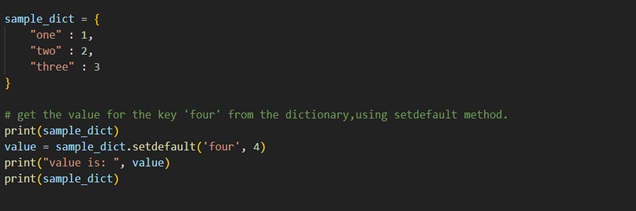
The setdefault() method does two jobs in one call. If the key exists, it simply returns its value. If the key is missing, it adds the key with a default value and returns that default. It is especially useful for grouping data into lists. This page explains it with outputs and compares it with get() and defaultdict.
Syntax
dictionary.setdefault(key, default=None)key: the key to look up.default: the value to insert if the key is missing. If you leave it out,Noneis inserted.- Returns the value of the key (existing or newly inserted).
Example 1: Key Is Missing
stock = {'pen': 10, 'pencil': 25}

print(stock.setdefault('eraser', 5))
print(stock)
Output:
5
{'pen': 10, 'pencil': 25, 'eraser': 5}
'eraser' was not in the dictionary, so it was added with the value 5, and 5 was returned.
Example 2: Key Already Exists
print(stock.setdefault('pen', 99))
print(stock)
Output:
10
{'pen': 10, 'pencil': 25, 'eraser': 5}
The existing value 10 is returned. The default 99 is ignored, and nothing changes.
Example 3: No Default Given
print(stock.setdefault('ruler'))
print(stock)
Output:
None
{'pen': 10, 'pencil': 25, 'eraser': 5, 'ruler': None}
Where setdefault() Really Shines: Grouping
Suppose you want to group words by their first letter. Without setdefault() you would need an if check for every word. With it, one line does the job:
words = ['apple', 'avocado', 'banana', 'blueberry', 'cherry']
groups = {}

for w in words:
    groups.setdefault(w[0], []).append(w)

print(groups)
Output:
{'a': ['apple', 'avocado'], 'b': ['banana', 'blueberry'], 'c': ['cherry']}For each word, setdefault() returns the existing list for that letter, or creates an empty one first. Then append() adds the word to it.
setdefault() vs get() vs defaultdict
get(key, default) |
setdefault(key, default) |
defaultdict |
|
|---|---|---|---|
| Missing key | Returns default, does not add it | Adds the key with default and returns it | Adds the key automatically on first access |
| Changes the dictionary? | Never | Only if the key is missing | Yes, on access |
| Best for | Reading safely | Occasional “add if missing” | Lots of grouping or counting |
s = {'pen': 10}
print(s.get('ink', 0), s)          # 0 {'pen': 10}  (no change)

from collections import defaultdict
g = defaultdict(list)
for w in words:
    g[w[0]].append(w)
print(dict(g))
Output:
0 {'pen': 10}
{'a': ['apple', 'avocado'], 'b': ['banana', 'blueberry'], 'c': ['cherry']}
One Thing to Watch
The default value is created every time you call setdefault(), even when the key already exists. In d.setdefault(k, []) that is just a cheap empty list, but avoid passing something expensive, like a function call that does heavy work, as the default.
Frequently Asked Questions
What does setdefault() return?
The value of the key: the existing one if the key is present, or the default it just inserted.
What is the difference between get() and setdefault()?
Both return a default for a missing key, but only setdefault() also adds that key to the dictionary.
Does setdefault() overwrite an existing value?
No. If the key exists, its value is left unchanged.
Related: Python dictionary fromkeys()